Device Management and Automation (DMA)
Configure and maintain Cisco video devices at scale, with the on-premises replacement for TMS, as recommended by Cisco
Self-hosted Cisco device management for busy teams
Device Management and Automation (DMA) is the modern way to manage Cisco video devices across your enterprise, without the need for cloud services. It enables small teams to configure and maintain large numbers of devices efficiently, by simplifying and streamlining complex, time-consuming tasks, and cutting operational overheads.
Already using CUCM? Here’s why you also need DMA…
Cisco Unified Communications Manager (CUCM) is an excellent SIP registrar, but has limited video device management functionality.
DMA delivers a broader (and growing) set of features across device setup, maintenance and monitoring. It integrates with CUCM, keeping device inventories in sync, so that all systems are up to date. Many of our customers use both CUCM and DMA.
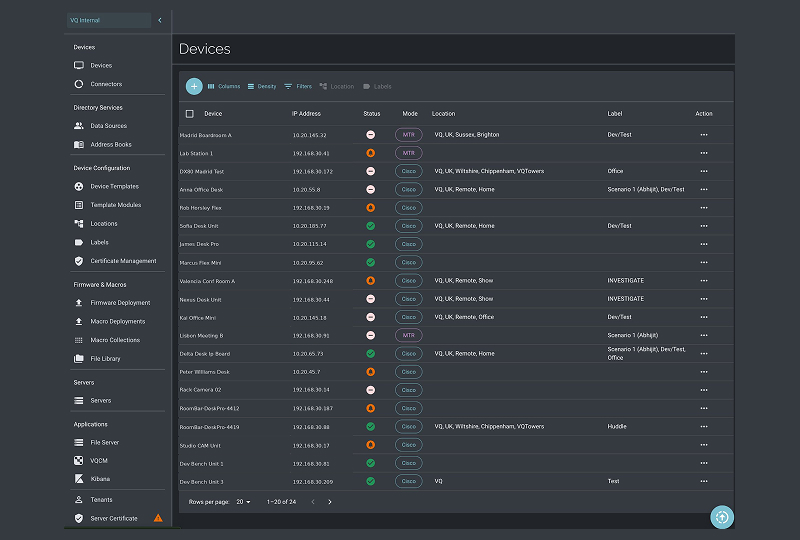
Set up your Cisco video devices
DMA’s device configuration tooling enables busy teams to deploy and set up large numbers of Cisco video devices.
Import devices
DMA offers a range of ways to add Cisco devices, including:
- Onboard directly, individually or in bulk, by IP address or name range
- Sync with Cisco Unified Communications Manager (CUCM)
- Import from Cisco TelePresence Management Suite (TMS)
Device labelling
Label your Cisco devices using DMA.
Labels make it simpler and faster for teams managing Cisco video devices to identify and group them when carrying out automated and manual configuration tasks.
Configuration templates and settings groups
Streamline device setup and reduce risk of human error, with templated configurations and settings groups that are shared across templates. Changing group settings alters every template where that group is used.
Then automate the (scheduled) deployment of your configuration templates to devices at scale.
Address books
Set up hierarchical, location-based address books, sourced from your LDAP system.
Or import phone books from TMS, CUCM, CSV files for non-Cisco devices, and other tools.
Macros and web apps
Deploy macros and RoomOS web apps to your Cisco video devices, to customize the user experience. Provide speed dials, room controls, or other applications.
Maintain your Cisco video devices
Keep your Cisco devices healthy, secure, and up-to-date. DMA includes tools to manage firmware, certificates, and troubleshooting
Firmware upgrades
Manage and update the firmware on your Cisco devices at scale. This includes scheduling, monitoring, and reporting, to enable assured, unattended upgrades.
Certificate management
Advanced tooling simplifies, accelerates, and de-risks Cisco device certificate management across large deployments, giving your teams more time for high-value work.
Backup management
Centralize backup and restore capabilities, making them efficient, scalable, and secure. Schedule backups to run periodically. Store them in VQ Conference Manager. Restore to individual or multiple devices.
Health checks
Run health checks on your Cisco devices, to ensure they’re operating correctly. Are devices going offline unexpectedly? Are they overheating or at risk of heat damage? Are they experiencing configuration errors or performance issues? Proactively find and address these issues and more.
Troubleshooting
Detailed device analytics and alerting enable your administrators and technicians to identify and respond to device-related problems – potentially before they affect users.
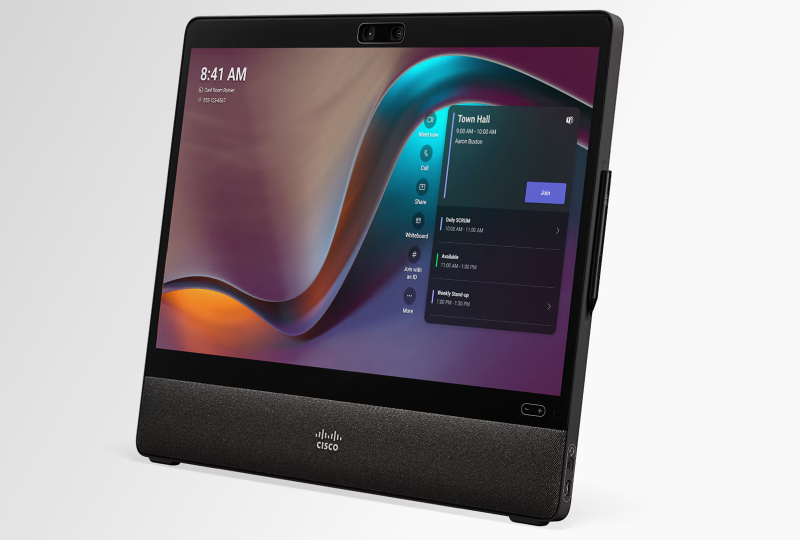
Support for Microsoft Teams Rooms on Cisco devices
Use Microsoft Teams Rooms (MTR) on your Cisco devices, including as part of Microsoft 365 GCC, GCC High, or DoD deployments. DMA provides a fully self-hosted way to activate MTR mode on individual or groups of Cisco devices, and see device-specific status information for MTR.
For devices in MTR mode, you can continue to manage the underlying Cisco RoomOS platform through DMA. DMA will add support for more functionality on Cisco devices running in MTR mode as it becomes available.
Room occupancy data
Access rich building usage insights, including in environments where Webex Control Hub can’t be used. Data from your Cisco devices’ occupancy sensors is available in VQ Conference Manager, and can be fed to your existing workplace analytics platforms.
This enables smart building optimization by your workplace managers, to support in-person collaboration and productivity.
Environmental sensor data will follow later in 2026.


On-premises replacement for TMS: Recommended by Cisco
The Cisco Telepresence Management Suite end-of-life announcement lists VQ Conference Manager as the Cisco-recommended on-premises successor to TMS.
As well as replacing key TMS capabilities, VQ Conference Manager DMA adds further functionality to support efficient operation of your Cisco equipment.
Upgrade from Cisco TMS to DMA
Confidently transition from Cisco TMS to DMA, with planning and support from VQ Communications. This includes use of our migration tools for:
- Devices
- Phone books
- Meetings

Find out how DMA can configure and maintain Cisco video devices at scale